

How to Reduce Screen Time During Travel: 7 Steps
Table of Contents
- What You'll Need Before You Go
- Step 1: Set Family Screen Time Rules Before the Trip
- Step 2: Prepare a Screen-Free Travel Kit
- Step 3: How to Keep Kids Entertained on Planes Without Screens
- Step 4: Screen-Free Travel Activities for Toddlers
- Step 5: Road Trip Activities for Kids Without Screens
- Step 6: Use Device Management Tools as a Backup, Not a Crutch
- Step 7: Handle Travel Day Exceptions and Post-Trip Withdrawal
- Frequently Asked Questions
Last Updated: September 27, 2026
What You'll Need Before You Go
Travel days wreck normal screen time limits. A six-hour flight or a 900-mile road trip gives kids endless hours to fill, and handing over a tablet is the easiest fix. But it's not the only one. This guide from Are We There Yet walks through seven steps for how to reduce screen time during travel without turning the trip into a battle.
Start with a simple prep list:
- A small bag of analog games and cards
- Downloaded movies as a backup, not the default
- Chargers packed away, not in reach
- A one-page family agreement on rules
- Snacks, stickers, and a fresh notebook
Step 1: Set Family Screen Time Rules Before the Trip
Rules made at 30,000 feet never stick. Set them at the kitchen table a week before you leave.
A common approach is a simple tier system:
- Travel days: limited screen time, capped at a set number of minutes
- Flight or drive time: games, books, and talk first
- Hotel or downtime: screens allowed after activities
Step 2: Prepare a Screen-Free Travel Kit
A good travel kit does the work for you. Pack it once, and it's ready for every trip.
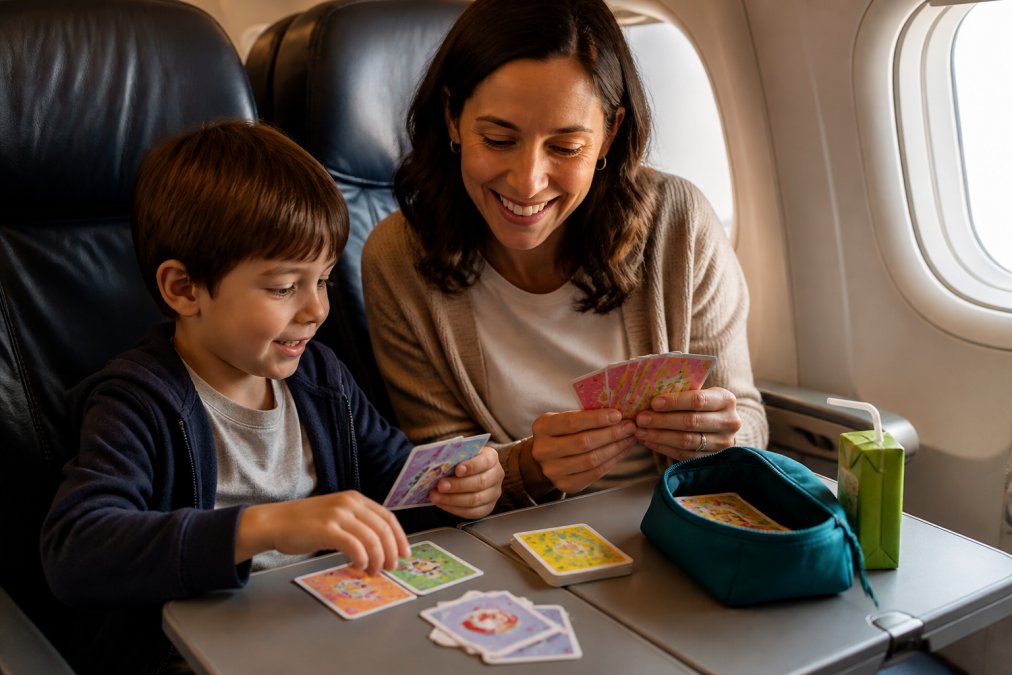
Fill a small pouch with:
- 2-3 card games (compact, no loose pieces)
- A deck of regular playing cards
- Sticker books and a small sketchpad
- A few wrapped surprises for meltdown moments
Choosing Analog Games That Work on the Go
Not every game travels well. Skip anything with tiny pieces that roll under seats.
Look for games that:
- Pack flat and fit in a carry-on pocket
- Play in 10-20 minutes
- Work for a range of ages
- Need no table space
Step 3: How to Keep Kids Entertained on Planes Without Screens
The trick to keeping kids entertained on planes is planning in 20-minute blocks. Attention spans don't stretch to six hours. They reset every 20 minutes or so.
Build a rotation:
- Card game (20 min)
- Snack and window watching (20 min)
- Sticker book or drawing (20 min)
- Walk the aisle and stretch (10 min)
- Repeat with a new game
Step 4: Screen-Free Travel Activities for Toddlers
Screen-free travel activities for toddlers need to be simple, tactile, and fast. Toddlers can't sit through a long game. They can sort, stack, and match.
Try these:
- Color sorting with cards or snacks
- A felt board with shapes
- Chunky puzzles in a zip bag
- Board books they can flip alone
- A water-reveal pad
Step 5: Road Trip Activities for Kids Without Screens
Road trip activities for kids without screens have one advantage: you have a whole car to work with. Use it.
Good road trip options:
- License plate and sign-spotting games
- Audiobooks and podcasts for kids
- A travel journal for each child
- Card games played on a lap tray
- A "mystery bag" of small toys revealed hourly
Step 6: Use Device Management Tools as a Backup, Not a Crutch
Parental controls and app timers are useful. They're just not the plan. The mistake most families make is treating the tool as the strategy, then wondering why the timer sparks a meltdown at 35,000 feet.
Apple Screen Time (iPhone, iPad)
- Downtime lets you schedule a window, say, 8 p.m. to 7 a.m., when only apps you've approved (maps, messages, Kindle) stay available. On a travel day, you can flip Downtime off for a set number of hours instead of disabling it entirely.
- App Limits caps a category (Games, Social) at a daily number of minutes. The limit carries across devices signed into the same Apple ID, so a kid can't just switch from iPad to iPhone.
- Ask to Buy and Communication Limits matter more on trips than at home, because kids are more likely to try new apps when they're bored.
- Guided Access locks the device into a single app until you enter a passcode, genuinely useful for handing a phone to a toddler for a specific show without unlocking the rest of the device.
Google Family Link (Android, Chromebook)
- Daily limits and bedtime work like Apple's, but Family Link also lets you approve or block app downloads remotely, which is handy when a grandparent is watching the kids mid-trip.
- Lock device is a one-tap remote lock from your phone, the cleanest way to end screen time without a negotiation.
Streaming and Airline Apps
- Netflix, Disney+, and Prime Video all support offline downloads, but downloads expire. Check the expiration window (often 48 hours after you press play) before you rely on a downloaded movie for a long-haul flight.
- Most major airline apps (Delta, United, American, Southwest) offer free in-flight entertainment streamed to your own device. That's screen time, but it's also a way to avoid paying for Wi-Fi and to keep the tablet in airplane mode.
The Trade-Off Nobody Mentions
Every one of these tools is enforced by a passcode you have to remember, on a device that may be in a different time zone, with a child who has watched you type it. Set the passcode before the trip. Write it down somewhere other than your phone.
Step 7: Handle Travel Day Exceptions and Post-Trip Withdrawal
Two things trip up even prepared families: travel day exceptions and the days after you get home. But before you decide what counts as an exception, you need a distinction most screen-time advice skips entirely.
Utility Screen Time vs. Escapism Screen Time
Not all screen time is the same. Treating it that way is why so many family rules collapse on day two of a trip.
Utility screen time is the phone doing a job a human can't easily do:
- Boarding passes and mobile check-in
- Maps and transit schedules in an unfamiliar city
- Translation when nobody speaks the language
- Restaurant reservations, ride-share pickup, hotel confirmation
- A quick text to the person picking you up
Escapism screen time is the phone filling a gap that something else could fill:
- Scrolling social feeds
- Autoplay video
- Mobile games played out of boredom, not because anyone wanted to play them
Travel Day Exceptions
On travel days, allow a little more escapism screen time than usual. A delayed flight, a red-eye, or a four-hour layover isn't the moment for a strict rule. Give yourself permission to bend on the hardest days, but name the bend in advance. "On travel days, you get two extra hours" is a rule. "We'll see how it goes" is not.
Post-Trip Withdrawal
Coming home is the real test. After a trip full of screens, kids often push back when limits return. The pattern is predictable: a spike in requests, a spike in moodiness, then a gradual reset over two to four days.
Ease the transition:
- Keep one screen-free ritual from the trip. If you played cards every night at the hotel, play cards the first week home.
- Bring the travel kit out of the bag. Leave it on the kitchen counter for a week instead of burying it in a closet.
- Don't go cold turkey on day one. Step the limits back over three days rather than snapping to the home baseline the morning after you land.
- Expect the grumble. A day or two of pushback is normal and not a sign the trip undid your rules.
The Bridge Devices
If the jump from screen to no-screen feels too steep, hardware can bridge it. An e-ink reader like a Kindle or Kobo reads like paper, holds a charge for weeks, and doesn't ping. An audio-only setup, a kids' podcast, an audiobook, a music playlist on a dedicated player, delivers entertainment without a glowing rectangle. These aren't loopholes. They're a middle rung on the ladder between a tablet and a deck of cards.
Frequently Asked Questions
What is the 3-6-9-12 rule for screen time?
The 3-6-9-12 rule is a set of age-based screen time guidelines: no screens before age 3, no video games before age 6, no internet use before age 9, and no social media before age 12. During travel, many families use these thresholds as a starting point rather than a strict law. For example, a family with a 4-year-old and a 10-year-old might allow the older child limited offline media on a long-haul flight while keeping the younger child engaged with analog games, stickers, and picture books.
How can I keep my toddler entertained on a plane without an iPad?
Pack a small bag of screen-free travel activities for toddlers that fit in the seat pocket: reusable sticker books, chunky crayons with a mini notebook, a deck of matching cards, and a couple of small vehicles or animal figures. Rotate one item at a time instead of dumping everything out at once. For toddlers who get frustrated by rules, card games like Go Poop! can be simplified into a memory matching or sorting game, which keeps little hands busy without requiring them to follow full game play.
Is it realistic to have zero screen time during a long-haul flight?
Zero screen time is possible but not necessary. A more practical goal is to reduce screen time by planning offline alternatives first and treating devices as a last resort. On a 6-hour flight, aim to fill 3 to 4 hours with analog games, snacks, books, and rest. If you do allow media, choose pre-downloaded content in offline mode and set a clear limit before boarding. This approach balances digital utility with a genuine digital detox.
How do you manage screen time expectations during long road trips?
Set the rules before you leave the driveway. Agree on when devices are allowed, such as during the last hour of a long driving day, and what happens on shorter legs. Pack a road trip activity bin with card games, travel bingo, and audiobooks the whole family can share. Use parental controls to block apps during travel days if needed. The goal is not punishment but predictability, so kids know what to expect and parents avoid negotiating at every rest stop.
Reducing screen time during travel isn't about saying no to screens forever. It's about giving kids something better to reach for. Are We There Yet makes portable, screen-free card games designed by a traveling family, so you always have an option in the bag. With free US shipping on every order, it's easy to stock up before your next trip. Get started with Are We There Yet and make your next journey a little more joyful, screen-free, and full of giggles.


